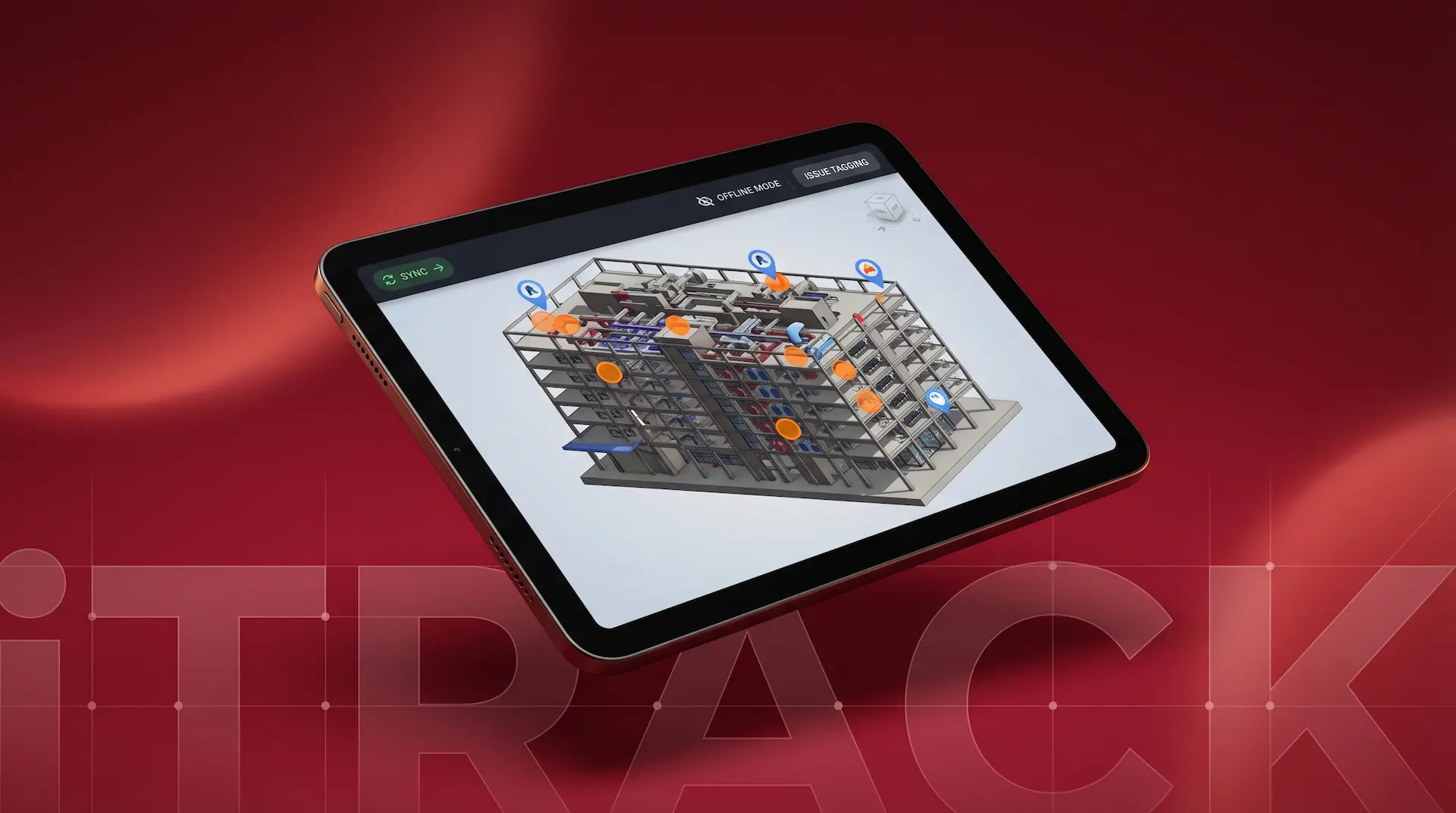
i-Track is a mobile and tablet application that enables AEC field teams to review REVIT models, raise geo-coded issues, and generate reports directly from any device, without needing a Revit-capable workstation.
Built on Autodesk Platform Services (APS) and Forge, i-Track processes REVIT models on the device, giving engineers, site managers, and QA teams the same model fidelity they expect on desktop, in the palm of their hand. The platform's standout capability is full offline operability: once a project is loaded, the team can work anywhere, with or without connectivity.
REVIT model reviews in construction and engineering projects have historically been tied to the workstation. A project manager, site engineer, or QA lead who needed to review a model, flag an issue, or log a comment had to be at a desktop with Revit installed and a machine powerful enough to run it. In the field, on site, or in a client meeting, that simply was not possible.
The consequences were predictable. Issues were noted on paper or recorded in a phone, then re-entered into the system later. Geo-tagged precision was lost. The gap between issue identification and logging created delays and inconsistencies in reporting. Teams were workstation-dependent when their work demanded they be mobile. The client needed to put the model directly in the hands of the people doing the actual work.
StudioKrew built i-Track from the ground up as a mobile-first AEC review platform. We used Autodesk APS and Forge to solve the core model processing challenge, and built native iOS and Android applications that delivered a full field-ready experience without any workstation dependency.
StudioKrew was the product and engineering partner for i-Track from concept through to delivery. We designed the mobile UX for field conditions, integrated Autodesk APS and Forge APIs for model processing, built the native iOS and Android applications, and architected the offline-first data model with automatic sync. The client was under NDA and is not disclosed.
Powering Mobile-First REVIT Review with Autodesk APS, Forge, and Native Mobile Development
Every technology choice in i-Track was driven by the constraint of field use: the app needed to be fast, reliable, and fully functional with or without a network connection.
Autodesk Platform Services (APS) and Forge provided the cloud-based model translation layer that made REVIT model processing possible on mobile devices. Using the Model Derivative and Viewer APIs, we served full model data to iOS and Android without requiring Revit or a capable desktop on site.
The iOS application was built natively in Swift to deliver the performance and reliability required for rendering complex REVIT model geometry on device. The native approach also gave us precise control over the offline data layer and GPS integration for geo-coded issue tagging.
The Android application was built in Kotlin with Jetpack Compose for the UI layer, delivering the same model review and issue reporting experience as iOS across the range of Android devices and tablets in use by the client's field teams.
The backend API managed project distribution, model metadata, issue records, user access, and the sync queue for offline data. Node.js handled the event-driven architecture required for reliable offline-to-online data reconciliation when field teams reconnected.
MongoDB's document model suited the variable structure of AEC issue records, where each report could carry different combinations of position tags, geo-codes, annotated screenshots, and text comments. The offline data store on device used a compatible local document structure to simplify sync logic.
The offline architecture was built as a core requirement, not an add-on. Using local storage with a conflict-resolution sync strategy, the app maintained full functionality in basements, remote sites, and low-connectivity environments, then reconciled all data automatically when connectivity returned.
i-Track changed the fundamental dynamic of how the client's field teams interacted with project data. Work that previously required a return to the office or a powered workstation on site could now happen anywhere, at any time, on any device.
Engineers and site managers could review full REVIT model geometry on a phone or tablet, navigate complex structures, and interact with model elements without any Revit installation or capable desktop required at the location.
Every issue raised in i-Track carried a position tag and GPS coordinates. Project managers received structured reports tied to exact locations, eliminating the back-and-forth that came from imprecise written or verbal issue descriptions and reducing resolution time significantly.
The offline capability made i-Track viable across the full range of environments the client encountered, from basement plant rooms and remote construction sites to areas with poor or absent mobile connectivity. Teams worked without interruption regardless of signal.
Issue logging became faster and more consistent because the friction of the desktop-only workflow was removed. Reports generated directly in the field were structured, annotated, and geo-coded from the moment of capture, requiring no transcription or re-entry into a central system.
AEC technology projects require a rare combination of domain knowledge and technical depth. You need a team that understands how AEC workflows actually work in the field, not just in theory, and can translate that into software that performs reliably under real site conditions. StudioKrew brings both.
Common questions about mobile REVIT review, Autodesk APS and Forge integration, offline BIM applications, and how StudioKrew approaches AEC technology projects.
STUDIOKREW BUILDS REVIT PLUGINS, APS AND FORGE INTEGRATIONS, AND MOBILE BIM TOOLS FOR AEC FIRMS WHO NEED THEIR DATA WHERE THEIR PEOPLE ARE. IF YOUR TEAMS ARE STILL TIED TO A WORKSTATION FOR WORK THAT SHOULD HAPPEN IN THE FIELD, LET US SHOW YOU WHAT IS POSSIBLE.
Talk to our AEC team