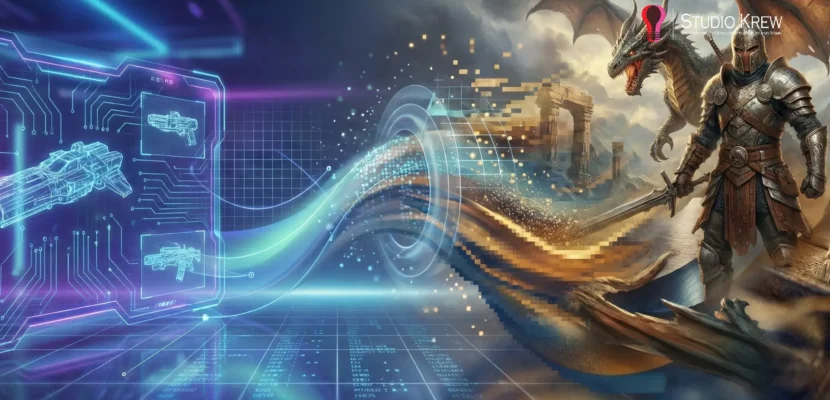
Introduction: Why Choosing Between Vector and Raster Is More Important Than Ever
Whether you’re designing a mobile app, building a high-performance game, or automating BIM workflows, one important choice shapes your project: Should you use vector graphics or raster graphics?
This question might seem simple at first. However, in areas such as game development, mobile apps, and AEC automation, your choice affects performance, memory usage, rendering quality, file size, scalability, and even the accuracy of Revit model automation.
In 2025, developers and designers will deal with more screen sizes, rendering pipelines, and automation needs than before. Knowing the real differences between vector and raster graphics is now a key engineering decision that affects product quality, user experience, and scalability.
At StudioKrew, we work on a wide range of projects, from high-performance mobile games and enterprise apps to custom REVIT Add-ins and BIM automation. Choosing the right graphic approach is critical for every project. For example, switching from raster to vector icons in an Android app can reduce APK size by over 40%. Using vector DXF files instead of scanned raster PDFs can also greatly improve the accuracy of geometry extraction in AEC automation.
This guide covers more than just basic definitions. Here’s what you’ll learn:
- A clear, developer-friendly breakdown of vector vs raster graphics
- Real implementation examples from game design, mobile UI systems, and REVIT/BIM automation
- A comparison rooted in performance, accuracy, and scalability
- A practical decision-making framework for teams building production-grade digital products
- Insights tied naturally to StudioKrew’s expertise across game development, app development, and AEC tech
By the end of this guide, you’ll know when to use vector graphics, when raster is the better option, and where hybrid workflows make the most sense.
Let’s begin with the basics.
What Are Vector Graphics?
Vector graphics are images built from mathematical paths, such as anchor points, lines, curves, polygons, and shapes defined by formulas, rather than pixels. This makes vector resolution-independent, so they can scale to any size without losing clarity.
In simple terms:
Vector graphics deliver clean, crisp images that scale perfectly across any screen or device.
This is why vectors are popular in modern app design, UI systems, branding, CAD, and automated geometry workflows.

Key Characteristics of Vector Graphics
- Infinitely scalable without pixelation
- Clean, sharp visuals at any resolution
- Lightweight file sizes compared to high-resolution raster images
- Easy to recolor, reshape, and animate through code
- Perfect for automation workflows where precision matters
Common Vector File Formats
- SVG – Ideal for modern mobile and web UI
- DXF – Widely used in REVIT/CAD automation
- AI / EPS – Core design formats used in branding and illustration
- PDF (vector-based) – Used in architecture, engineering, and documentation workflows
Where Vector Graphics Shine in Modern Digital Products
Vector graphics are more than a design choice—they’re also a strategy for better performance and scalability. Here’s where vectors stand out in different industries:
1. Mobile App Development
Vectors sit at the heart of modern mobile UI design systems.
They help developers:
- Keep app size smaller by replacing dozens of PNGs with a single SVG
- Achieve perfect scaling across 100+ screen densities
- Maintain crisp icons on foldables, tablets, and 120Hz displays
- Create adaptive, theme-driven UI components (dark mode, light mode)
Using SVG icons instead of raster PNGs can reduce an app’s size by 30 to 60 percent, especially in apps with large icon libraries.
Explore StudioKrew’s app development process → https://studiokrew.com/mobile-application-development
2. Game Development
While high-fidelity games rely heavily on raster textures, vector graphics remain essential for UI/HUD systems because they ensure:
- Sharp icons regardless of screen size
- Reduced load on GPUs for 2D overlays
- Lightweight menus and scoreboard elements
- Faster rendering of HUD/UI components
Modern Unity and Unreal UI kits support SVG imports, making vectors a valuable asset in performance-focused game development.
Check StudioKrew’s game development services →https://studiokrew.com/game-development
3. REVIT, BIM & AEC Automation
In this area, vectors provide a technical advantage, not just a design benefit.
Vector formats like DXF or vector-based PDFs offer:
- Precise geometry extraction
- Accurate wall, room, and boundary tracing
- Smooth automation of REVIT workflows
- Clean layers, metadata, and path-based information
- Faster processing in AI/ML-driven BIM tools
In contrast, using raster-based blueprints adds noise, reduces accuracy, and makes OCR or machine vision more difficult.
StudioKrew uses vector-first strategies in its REVIT BIM automation services.
4. Branding, Illustrations & Scalable UI Systems
Whenever you need scalability, vectors are the top choice:
- Logos
- Icons
- Infographics
- UI components
- Technical illustrations
- Motion graphics using shape layers
These assets stay crisp and lightweight at any resolution.
Quick Example
- Scaling your app logo from 48px to 480px?
Vector graphics stay sharp, while raster images lose quality. - Need 100 versions of an icon in different colors?
Vector graphics are fully editable and lightweight. - Need automated geometry extraction in REVIT?
Vectors can be read by machines, but rasters cannot.
Vector graphics are best when you need precision, scalability, consistency, and assets that work well with automation. This makes them essential for cross-platform app development, UI/UX design, and AEC technology workflows.
What Are Raster Graphics?
Raster graphics are images composed of pixels, tiny colored squares arranged in a grid. Unlike vectors, raster images can’t be scaled up without losing quality. If you zoom in, the image will blur or pixelate because each pixel has a set resolution.
In simple terms:
Raster graphics are pixel-based images, making them best for realism, textures, and detailed photos.
Every photo you take on your phone, every game texture on a 3D model, and every detailed visual effect you see on screen uses raster graphics.

Key Characteristics of Raster Graphics
- Resolution-dependent (quality decreases when scaled)
- Highly detailed (perfect for realism)
- Large file sizes compared to vectors
- Stored as arrays of color information
- Ideal for 2D/3D textures, photography, and complex shading
Because raster images store data for each pixel, they can display gradients, shadows, depth, and complex details that vectors can’t easily match.
Common Raster File Formats
- JPEG / JPG – lightweight, perfect for photos
- PNG – supports transparency, widely used in app UI and game sprites
- TIFF – high-fidelity format used in imaging and print workflows
- WebP / AVIF – modern web formats offering excellent compression with quality
- BMP – raw bitmap used rarely today
- Raster PDFs – when a PDF is generated by scanning or converted from a bitmap image
These formats are common in photography, visual effects, 3D textures, and UI elements that need gradients or realism.
Where Raster Graphics Shine in Modern Digital Products
1. Game Development
Raster assets form the backbone of most game art pipelines.
Examples include:
- Textures (albedo, roughness, normal maps, metallic maps)
- 2D sprites for characters, enemies, and environmental props
- Particle effects (fire, smoke, glow bursts)
- Skyboxes and HDRI backgrounds
In engines like Unity and Unreal, raster textures are compressed into platforms (ETC2, ASTC, DXT1/5) to optimize performance across low-end and high-end devices.
This is fundamental for high-performance game projects built by gaming studios like StudioKrew.
2. Mobile App Development
Although modern app UI leans heavily toward vector icons and SVGs, raster graphics still dominate whenever designers need:
- Photo-based banners
- Illustrations with complex shading
- Backgrounds with gradients
- Animations requiring pixel-based frames
- High-quality onboarding screens
Even with adaptive UI systems, raster images remain important for creating a visually rich mobile app experience.
Explore more UI-driven app development workflows → https://studiokrew.com/mobile-application-development
3. REVIT, BIM & AEC Automation
This is an area often overlooked in typical raster vs vector guides.
AEC teams frequently deal with raster-based PDFs or scanned drawings. These create challenges for BIM automation because:
- Raster PDFs cannot be interpreted line-by-line
- They require OCR or pattern-recognition algorithms
- Noise, smudges, and scan distortion can mislead automation logic
- Precision suffers when extracting walls, room outlines, dimensions, and annotations
This is why REVIT automation pipelines prefer vector DXF or vector PDF, which allow clean computational extraction.
When dealing with large construction projects, a raster blueprint often adds unnecessary effort, while a vector file streamlines automated model creation. StudioKrew’s BIM automation services touch this area deeply under their REVIT Automation Services.
Quick Example for Better Understanding
- A 1024×1024 PNG texture is perfect for wrapping a 3D object in a game.
- The same PNG, when scaled to 4000×4000, becomes blurry (unless replaced with a higher-resolution raster).
- A vector icon would scale perfectly, but cannot replicate the realism of pores, shadows, gradients, or reflective textures.
Raster graphics are best when you need realism, emotion, depth, or natural complexity, especially in games, illustrations, and image-heavy apps. However, they also come with performance trade-offs you can’t ignore.
Vector vs Raster: The Complete Comparison Table
Choosing between vector and raster graphics often becomes a silent technical decision that shapes the performance, scalability, and clarity of your product. Whether you’re building a real-time mobile game, designing a multi-device app interface, or automating geometry extraction in BIM workflows, the impact is significant.
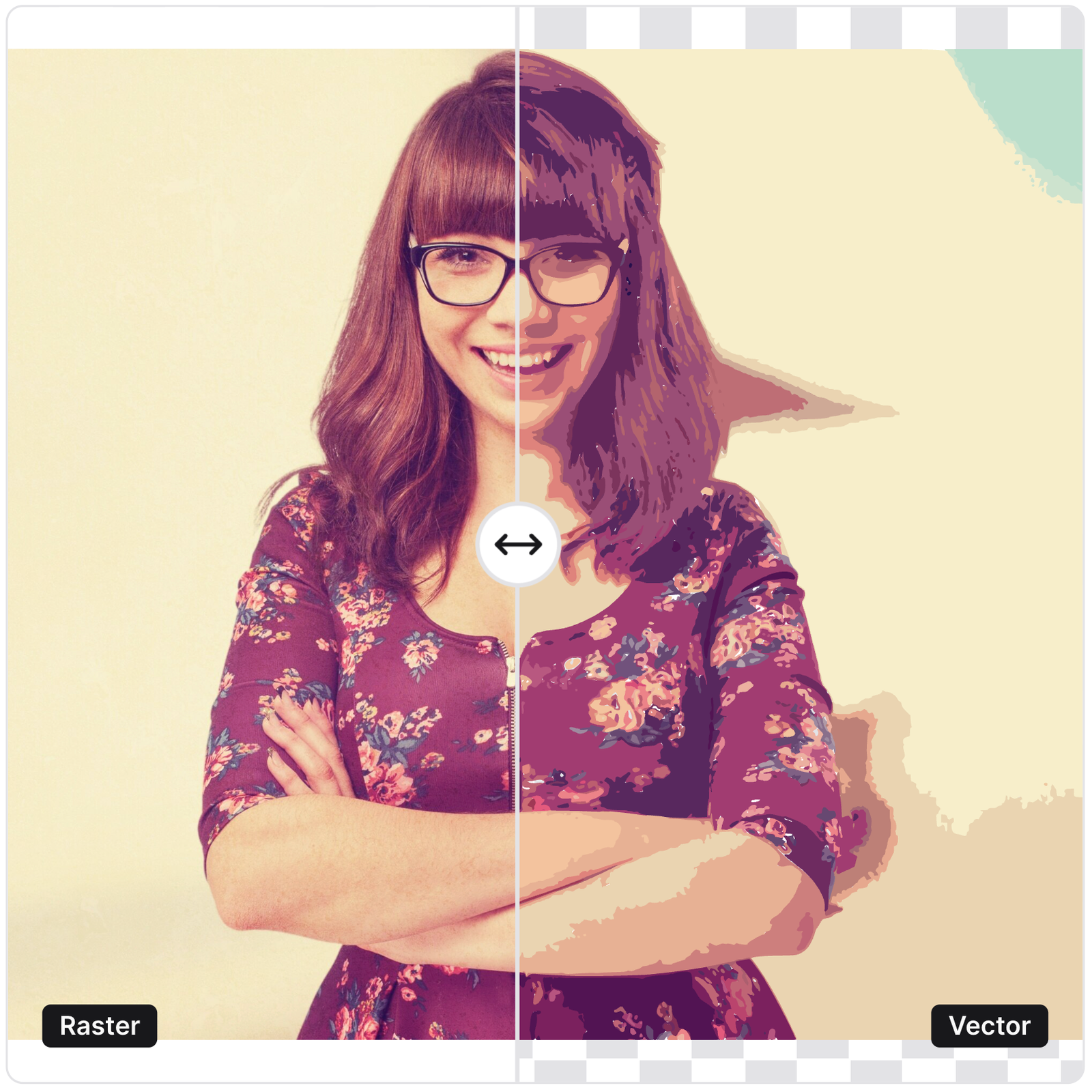
Below is a complete, developer-friendly comparison that goes beyond general design-level explanations.
Vector vs Raster — Side-by-Side Comparison
| Criteria | Vector Graphics | Raster Graphics |
|---|---|---|
| Resolution | Resolution-independent; scales infinitely without losing sharpness. | Resolution-dependent; pixelates or blurs when scaled. |
| File Size | Generally lightweight, especially for UI, icons, and geometric shapes. | Often heavy, depending on image resolution and compression settings. |
| Scalability | Ideal for multi-device scaling in apps and responsive designs. | Not suitable for scaling; quality drops quickly on larger screens. |
| Rendering Performance | Fast rendering for UI/HUD elements; low GPU memory usage. | Higher GPU load, especially for large textures in games. |
| Realism | Limited realism; best suited for flat or geometric visuals. | Excellent for detailed, lifelike visuals and photographic textures. |
| Best For | App icons, UI, logos, dashboards, CAD drawings, REVIT automation. | Game textures, 3D materials, illustrations, photos, FX sprites. |
| Automation | Machine-readable; ideal for BIM/DXF extraction and vector PDF workflows. | Requires OCR or ML extraction; not ideal for computational geometry. |
| Device & Engine Compatibility | Excellent for cross-platform app UIs and game HUDs. | Core requirement for game engines and photo-based content. |
| Editing Flexibility | Easily editable; shapes and colors can be modified programmatically. | Editing is destructive unless layered (e.g., PSD); not ideal for parametric changes. |
| Use in BIM/REVIT | Preferred for automation; DXF/vector PDF ensures accurate extraction. | Scanned raster PDFs reduce accuracy, require OCR, and slow automation. |
Why This Comparison Matters
Today’s multi-platform product ecosystem demands assets that can:
- Scale across phones, tablets, foldables, and desktops
- Render efficiently inside engines like Unity/Unreal
- Enable accurate geometry extraction inside REVIT and BIM automation workflows
- Maintain performance without inflating build sizes
Understanding these differences allows teams to choose the right asset strategy for apps, games, and AEC automation workflows, thereby improving performance, reducing memory usage, and increasing overall product quality.
For teams working with enterprise apps or multi-genre games, these decisions often tie directly to outcomes such as LCP scores, FPS stability, real-time rendering costs, and automated model precision.
StudioKrew’s cross-industry experience in Game Development, Mobile App Development, and REVIT/BIM Automation provides a practical lens through which these choices are made daily.
Deep Dive: Pros & Cons of Vector Graphics
Vector graphics are often considered the “clean, modern” choice for digital products, but the real value of vectors goes far beyond aesthetics. Their mathematical foundation makes them a strategic asset in mobile UI design, cross-platform application development, game HUD systems, and, increasingly, in REVIT automation, where precision is non-negotiable.
But, like every technology, vectors have strengths and limitations. Understanding both sides helps studios, designers, and developers make smarter decisions across workflows.
Pros of Vector Graphics
1. Infinitely Scalable (No Pixelation, Ever)
Vectors maintain razor-sharp clarity whether displayed at 24px or 2400px.
This makes them ideal for:
- Multi-DPI mobile screens
- Responsive interfaces
- Foldable devices and tablets
- High-resolution monitors
- Logo and branding systems
In cross-platform app development, replacing raster icons with vector-based SVGs can dramatically reduce visual inconsistencies and improve UI clarity.
2. Lightweight and Efficient
Vector files are often significantly smaller than PNGs or JPGs.
For apps and games, this means:
- Reduced app size (APK/IPA)
- Faster downloads
- Smaller patch updates
- Cleaner asset management
A typical app with 200+ raster icons can shrink the asset bundle by 40–60% by converting them to vector graphics.
3. Seamless Multi-Device Scaling for Apps
Vectors allow one asset to scale across:
- HD, FHD, QHD, 4K
- iOS @1x, @2x, @3x
- Android ldpi → xxhdpi
- Foldables and tablets
No more exporting 18 different sizes for every icon.
This is why modern design systems (Material Design, Cupertino) are increasingly vector-first.
4. Ideal for UI/HUD in Games
In games, textures must often be raster, but the entire UI layer benefits immensely from vector assets:
- Scoreboards
- Inventory icons
- Health bars
- XP/level indicators
- Skill icons
- HUD overlays
Vectors reduce memory usage and maintain crisp visuals on both low-end and high-end devices.
Explore StudioKrew’s UI-driven game development services to learn more.
5. Best Format for CAD, REVIT & BIM Automation
This is a powerful advantage most blogs never mention.
In automation pipelines:
- Vector DXF = precise geometry extraction
- Vector PDF = clean coordinates & boundary detection
- SVG layers = machine-readable technical drawings
This makes vectors essential for:
- Room detection
- Wall centerline mapping
- Door/window positioning
- Layer-based classification
- Smart REVIT Add-in automation
Raster PDFs require OCR, segmentation, and noise reduction – slowing down automation and reducing accuracy.
StudioKrew’s AEC workflows rely heavily on vector-first input formats for Revit-BIM Automation services.
6. Easy to Recolor, Animate, or Edit Programmatically
Unlike raster images, vector shapes can be changed at runtime:
- Modify stroke widths
- Animate paths
- Change colors for dark/light mode
- Apply scaling and rotation without distortion
This flexibility is gold for both designers and developers working in scalable systems.
Cons of Vector Graphics
1. Not Ideal for Realistic or Photographic Detail
Vectors excel at shapes—but when you need:
- Human faces
- Textured surfaces
- Natural gradients
- Photo-realistic renders
- Organic patterns
Raster graphics outperform vectors every time.
2. Performance Overhead for Extremely Complex Artwork
Although light in simple use cases, vectors can become heavy when used with artwork:
- Has hundreds of anchor points
- Contains nested groups
- Includes large path animations
On low-end devices, this can lead to rendering overhead, especially in real-time game HUDs or animated SVGs.
3. Limited Support for Advanced Textures & PBR
In gaming and 3D workflows:
- Roughness maps
- Normal maps
- Height/displacement
- Metallic maps
- Sub-surface scattering
- HDR lighting
…all require raster images.
Vectors simply cannot replicate high-detail PBR pipelines.
4. Compatibility Gaps in Some Engines & Platforms
Although improving fast, some limitations still exist:
- Not all game engines support native SVG imports
- Some browsers render complex SVGs slowly
- Native mobile platforms sometimes rasterize vectors at runtime anyway
Thus, a hybrid approach (vector UI + raster textures) is often ideal.
5. Not Suitable for Scanned Documents
In AEC workflows, scanned blueprints are not vector and cannot be converted perfectly:
- Starting with vector data brings huge benefits
- Starting with raster PDFs introduces noise
This highlights the importance of selecting the right input format for BIM automation from the beginning.
Summary: When Vectors Shine
Vector graphics are unbeatable for:
✔ Cross-platform app UI
✔ Game HUD elements
✔ Logos & brand assets
✔ CAD/REVIT automation
✔ Scalable illustrations
✔ Icons for multi-device ecosystems
– but they are not meant for realism-heavy visuals or complex 3D texturing.
Deep Dive: Pros & Cons of Raster Graphics
Raster graphics are the backbone of visual realism. Whenever a product needs rich texture, photographic detail, soft shadows, or natural gradients, raster images step in where vectors simply cannot. From AAA games to mobile apps and BIM overlay images, raster assets deliver the emotional depth that vector math cannot replicate.
But as powerful as they are, raster graphics also introduce limitations around performance, scalability, and automation. Understanding both sides helps teams choose the right asset strategy for their product — especially across industries where StudioKrew operates: game development, mobile app development, and AEC/BIM automation.
Pros of Raster Graphics
1. Photorealistic Quality That Vectors Can’t Match
If you need lifelike imagery, raster is the only option.
Raster graphics store color values pixel-by-pixel, enabling:
- Skin textures
- Foliage patterns
- Metal, stone, and organic surfaces
- Complex lighting & shadow nuances
- Photographs and high-detail illustrations
This is why game textures, UI backgrounds, character sprites, and cut-scene artwork almost always rely on raster formats like PNG, JPG, or DDS.
2. Essential for Game Development Textures & PBR Pipelines
Game engines like Unity and Unreal use raster files for all texture maps:
- Albedo (base color)
- Roughness
- Metallic maps
- Normal maps
- Height/displacement
- Ambient occlusion
These maps collectively create the physical realism players expect in modern games.
For complex projects, raster assets remain irreplaceable.
Explore StudioKrew’s game development pipelines.
3. Handles Complex Gradients & Blending Beautifully
Soft shadows, glows, color transitions, and natural lighting are where raster shines.
Use cases include:
- App onboarding illustrations
- Marketing banners
- Character portraits
- VFX elements (fire, smoke, sparks, light rays)
- UI backgrounds and textures
Vectors struggle with these organically blended effects.
4. Universally Supported Across All Platforms
Unlike vector formats, which can be inconsistent across engines and browsers, raster formats are universally accepted.
Every platform supports:
- PNG
- JPG
- WebP
- TIFF
- BMP
This makes rasters a reliable fallback for compatibility.
5. Great for Bitmap-Based Animations
In mobile and casual games, frame-based animation using raster sprites is still extremely popular because it offers:
- Smooth animation
- Lightweight runtime performance
- Artist-friendly workflow
This applies to 2D games, skill-based games, and hyper-casual prototypes, which are often built rapidly for testing.
6. Useful for Visual Overlays in AEC/BIM Workflows
Though not ideal for automation, raster is used in:
- Site photographs
- Material texture overlays
- Scanned floor plans
- Detailed inspection imagery
- Partial annotations
In hybrid BIM systems, raster images serve as “context layers” supporting the primary vector-driven automation.
Cons of Raster Graphics
1. Resolution-Dependent (Pixelation When Scaled)
This is the biggest drawback.
Scaling a raster image from 100px to 300px leads to:
- Blurring
- Pixelation
- Loss of detail
- Aliasing issues
This is why apps often require multiple sizes of the same image — bloating the final build.
2. Often Heavy in File Size
Because raster stores information pixel-by-pixel, even a moderate-resolution image can be MBs in size.
Challenges include:
- Larger app download size
- Heavier game build size
- Higher memory usage during runtime
- Slower loading screens on low-end devices
Modern formats like WebP help, but vectors still outperform in lightweight scenarios.
3. More GPU-intensive in Games
Raster textures require GPU memory and texture sampling, especially in:
- Open-world games
- High-resolution materials
- PBR pipelines
- Real-time lighting scenarios
Increasing texture resolution (2048→4096) exponentially increases memory load and rendering cost.
4. Limited in Automation Workflows (Especially BIM/REVIT)
Raster-based PDF drawings create huge problems in AEC automation:
- Scanned drawings have noise and distortions
- Lines are not actual geometry — just pixels
- OCR struggles with poor text clarity
- Wall boundaries become ambiguous
- Thickness, precision, and corner points get lost
This often forces BIM automation platforms to build expensive OCR + ML pipelines just to interpret data that would be instantly readable in vector DXF form.
StudioKrew strongly prefers vector-first inputs in its REVIT automation solutions.
5. Editing Can Be Destructive
If a raster asset is not layered (e.g., PSD), editing becomes:
- Time-consuming
- Quality-degrading
- Resolution-dependent
Unlike vectors, rasters cannot be reshaped or recolored programmatically with perfect fidelity.
6. Requires Multiple Variants for Different Devices
To avoid pixelation, developers often export multiple sizes:
- 1x, 2x, 3x for iOS
- ldpi, mdpi, hdpi, xhdpi, xxhdpi for Android
This inflates the file system and introduces maintenance overhead.
Summary: When Rasters Shine
Raster graphics are perfect for:
✔ Photographs, realistic illustrations
✔ High-detail game textures & PBR workflows
✔ VFX elements & blended UI backgrounds
✔ Bitmap animation
✔ Natural gradients, shadows, and complex lighting
✔ Context layers in AEC workflows
– but they must be used carefully in memory-sensitive environments like mobile games or automation systems.
Practical Industry Use Cases – How Vector vs Raster Impacts Real Production Workflows
Most blogs stop at theory. The real difference between vector and raster graphics becomes obvious only when you apply them inside a production pipeline — whether you’re building a game, designing a mobile app, or automating geometry in BIM systems.
In 2025, every industry will have its own performance constraints, scalability requirements, and rendering pipelines. Understanding how these graphic formats behave in real-world scenarios helps teams make smarter decisions and avoid major redesigns, performance issues, or automation problems later.
Below, we break down how vector vs raster graphics influence three major industries where StudioKrew operates daily:
- Game development
- Mobile app development
- REVIT & BIM automation
Each ecosystem has its own challenges — and the right choice of vector or raster can directly affect performance, UI clarity, model accuracy, GPU usage, and even long-term maintainability.
Let’s start with the industry where visual choices impact performance more than anywhere else: games.
Vector vs Raster in Game Development
Game development is one of the few industries where both formats play equally critical, but very different roles. The wrong asset type in the wrong place can degrade performance, inflate texture memory usage, or reduce clarity across different screen sizes.
Below is a realistic breakdown of how modern engines such as Unity6, Unreal Engine, and Godot treat vector and raster assets, and how StudioKrew uses them strategically across its game projects.
How Vector Graphics Are Used in Games
1. UI, HUD, and 2D Overlay Elements
Game UIs must scale across:
- Smartphones (small screens)
- Tablets
- PCs
- Consoles
- Ultra-wide monitors
Vector graphics allow:
- Crisp icons
- Perfect scaling
- Lightweight HUD elements
- Faster iteration during UI design
- Low GPU usage for 2D overlays
Common examples include:
- Health bars
- XP and level icons
- Skill ability icons
- Menus
- Scoreboards
- Inventory UI
Engines like Unity 6 support SVG imports, making vector-based UI workflows far more efficient and device-agnostic.
2. Procedural Shapes, Mini-Maps, and Technical Overlays
Vectors shine in technical and abstract layers:
- GPS-style mini-maps
- In-game radar systems
- Pathfinding debug visualizations
- Wireframe-style overlays
- Procedural geometry visuals
These elements benefit from vectors because they remain sharp even when zoomed or rotated.
3. Reducing Build Size for Cross-Platform Titles
If your game targets:
- iOS
- Android
- WebGL
- Windows
- Consoles
Then, vector assets dramatically reduce build size. Instead of exporting PNGs in multiple resolutions, a single SVG can serve all platforms.
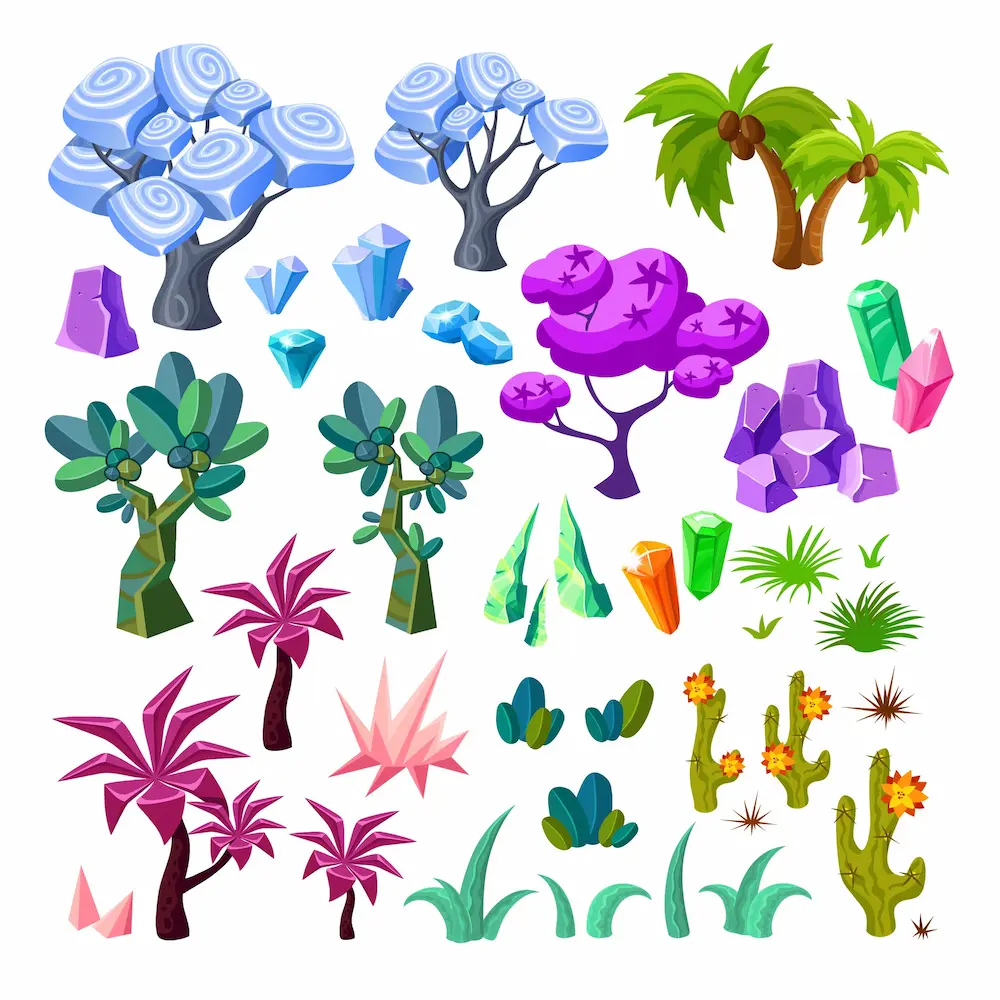
This is especially valuable for casual, hyper-casual, and cross-platform game development services.
Where Raster Graphics Excel in Games
1. Textures Are 100% Raster-Driven
Modern 3D games rely entirely on raster texture maps:
- Diffuse/Albedo
- Metallic
- Roughness
- Normal maps
- Height/Displacement
- Emission maps
These are mandatory for:
- Realistic characters
- Environment materials
- Ground, foliage, and lighting effects
- Particle systems
Even in 2D games, spritesheets (characters, enemies, props) are always raster images.
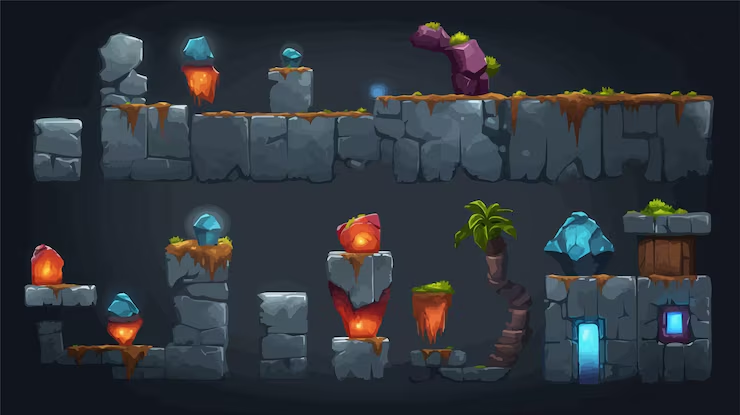
2. Particle Effects, VFX, and Animations
Smoke, fire, dust bursts, explosions, spell effects; all rely on raster frames.
These elements require:
- Alpha transparency
- Soft gradients
- Motion blur
- High-frequency details
- Color blending
Vectors simply cannot replicate this level of natural variance.
3. Pre-rendered Cinematics & Illustrative Art
Cutscenes and promo art often rely on:
- High-res PNGs
- JPG backgrounds
- Rendered frames
If your game features stylized or realistic visual storytelling, raster dominates here.
What Game Developers Should Choose – Vector or Raster?
The winning approach is hybrid:
Use Vector Graphics For:
✔ UI & HUD elements
✔ Icons and indicators
✔ Buttons & interactive UI
✔ In-game overlays
✔ Technical or procedural shapes
✔ Multi-platform scaling requirements
Use Raster Graphics For:
✔ Textures and PBR materials
✔ Characters, objects, environments
✔ Particle VFX
✔ Sprite-based animations
✔ BG illustrations and cutscenes
This hybrid workflow gives the best of both worlds:
- High performance
- Scalable visuals
- Reduced build size
- Smooth GPU memory usage
See how StudioKrew implements hybrid art pipelines in its game projects and its hybrid game development services.
Key Takeaway for Game Teams
Vectors make your UI scalable and lightweight. Rasters power the realism. The best game studios know exactly where to use each — and where not to.
This is the foundation of modern game art pipelines.
Vector vs Raster in Mobile App Development
Mobile app development is one of the most sensitive environments for graphic decisions. A simple choice—SVG vs PNG—can influence app size, loading performance, UI clarity, and even Play Store/App Store rankings. With phones now ranging from low-end 720p devices to high-end 4K foldables, choosing between vector and raster assets is no longer a design preference… It’s a performance strategy.
At StudioKrew, we see this every day as we build large-scale mobile applications, digital products, and cross-platform UI systems. Below is how vector and raster graphics behave inside real app pipelines.
How Vector Graphics Power Modern Mobile UI
1. Seamless Scaling Across 100+ Screen Sizes
Android alone supports:
- ldpi
- mdpi
- hdpi
- xhdpi
- xxhdpi
- xxxhdpi
- Foldable screen DPIs
- Tablet ratios
Instead of exporting 6–12 PNG sizes for every icon, a single SVG adapts perfectly to all densities.
This reduces:
- Asset duplication
- Engineering overhead
- Build size
- UI inconsistencies
This is one of the biggest reasons Google and Apple guidelines increasingly recommend vector-based icon systems.
2. Smaller App Size = Better Installs, Better SEO
Replacing large PNG icons with SVG files can reduce app size by 30–60%, especially in apps with:
- Large icon libraries
- Theming support
- Multi-module architectures
- Offline-first UI frameworks
Smaller apps load faster, install quicker, and improve your ranking signals on the Play Store.
3. Perfect for Dynamic Theming (Dark Mode / Custom Themes)
Vectors allow developers to:
- Change icon color via code
- Apply theme layers
- Modify stroke thickness
- Animate shapes
- Scale icons without re-exporting
This makes vectors ideal for modern UI systems like:
- Material Design 3
- Jetpack Compose
- React Native
- Flutter
- SwiftUI
These frameworks are built with vector-friendly rendering pipelines.
4. Crisp UI on High-Refresh-Rate Screens (90Hz, 120Hz)
As premium devices adopt higher refresh rates, pixelated icons stand out even more. Vector icons remain smooth and sharp on:
- iPhone Super Retina
- Samsung Dynamic AMOLED
- Tablet IPS screens
- Foldable OLED panels
Vectors ensure brand consistency across devices.
Where Raster Graphics Are Still Essential in Mobile Apps
Vectors aren’t the answer for everything. Rasters still dominate areas requiring realism or complex visuals.
1. High-Detail Visuals & Illustrations
Apps that feature:
- Onboarding illustrations
- Lifestyle banners
- Product banners for eCommerce
- Character art
- Photographs
all rely on raster (PNG/JPG/WebP) for realism and depth.
2. Backgrounds, Gradients & Soft Shadows
Vectors struggle with:
- Mesh gradients
- Natural textures
- Photographic elements
- Grain/noise effects
- Blurred backgrounds
These are crucial for creating immersive mobile UI experiences.
3. Bitmap Animations & Lottie Hybrid Assets
Lottie animations may contain vector paths, but also frequently embed raster layers for:
- Expressions
- Detailed art elements
- Shadows
- Glow effects
Raster is often required to achieve the desired visual richness.
4. Brand Assets Provided by Clients
Clients often share logos or marketing files as PNG/JPG, not SVG.
Unless recreated manually, these remain raster.
The App Developer’s Practical Decision Framework
Use Vector Graphics For:
✔ Icons
✔ Buttons
✔ Navigation bars
✔ Illustrations with simple shapes
✔ Animated icons
✔ In-app dashboards
✔ Themeable UI components
✔ Quick-loading micro-interactions
Use Raster Graphics For:
✔ Photos
✔ Marketing banners
✔ Textured visuals
✔ Complex illustrations
✔ Gradients & soft imagery
✔ App store promotional images
✔ Background visuals
While modern frameworks encourage vector-based UI, raster assets still provide the emotional depth needed for a visually rich experience.
See how StudioKrew handles vector-first UI pipelines for global apps →
👉 https://studiokrew.com/mobile-application-development
Key Takeaway for App Teams
Build your UI with vectors, enrich your experience with rasters. The strongest apps in 2025 use a hybrid visual strategy optimized for performance, scalability, and brand clarity.
Vector vs Raster in REVIT, BIM & AEC Automation
(With the two new StudioKrew-specific expert points added)
AEC workflows are one of the few domains where the choice between vector and raster graphics is not merely a visual decision – it determines whether automation, PDF extraction, and REVIT Add-in logic succeeds or fails. BIM pipelines depend on accuracy, clean geometry, and structured metadata, and vector-based drawings offer an unmatched advantage in this regard.
Most design blogs skip this topic entirely because it requires a deep understanding of DXF geometry, REVIT APIs, PDF extraction workflows, and APS integrations; the kind of experience StudioKrew brings through its automation solutions.
Below is the most practical, engineering-focused comparison of vector vs raster inside BIM automation.
How Vector Graphics Power BIM & REVIT Automation
1. Vector Geometry is Fully Machine-Readable
Vector entities in DXF, DWG, SVG, or vector PDF provide:
- Exact curves and polylines
- Precision corner nodes
- Line weights
- Defined layer metadata
- Clean geometry classification
Automation systems can directly extract:
- Wall centerlines
- Room boundary loops
- Door & window positions
- Column/beam outlines
- Text annotations and leaders
This precision is mandatory for model reconstruction.
2. Highly Recommended: Vector PDF for Accurate PDF Extraction in REVIT
This is a crucial StudioKrew insight:
REVIT’s PDF Extractor (and similar BIM automation scripts) achieve the highest accuracy when the input is a Vector PDF.
A Vector PDF provides:
- Real geometric paths
- True line entities
- Clean stroke data
- Accurate coordinates
While Raster PDFs can also be processed using OCR, AI shape detection, and ML-based heuristics, they are less accurate and significantly heavier to process.
That’s why StudioKrew always recommends clients provide vector-based PDFs or DXFs for the best results in REVIT automation workflows.
3. Clean Integration With REVIT’s Parametric Engine
Vector data maps cleanly to:
- CurveArray
- SketchPlane
- Family creation APIs
- Analytical models
- Wall-by-curve generation
This reduces fragmentation and ensures a robust REVIT family/object structure.
4. Vector Data Enables API-Based Structurization & JSON Output (APS + Mobile)
Another StudioKrew-specific capability:
Vector data extracted from PDF/DXF can be converted into structured JSON for automated view generation — even on mobile — using APS (Autodesk Platform Services).
This pipeline allows:
- Room-by-room structured data
- Wall definitions as vector paths
- Smart object placement rules
- Annotation mappings
- View-generation logic
Once vector entities are read, StudioKrew’s APIs can transform them into:
- Space breakdown JSON
- Object metadata JSON
- Room labeling JSON
- Geometry-based instructions for mobile previews
This enables features like:
- Mobile automated plan viewers
- Mobile model validators
- Mobile quantity extraction
- Cloud-based view generators
A workflow that is impossible to achieve reliably with raster PDFs.
5. Metadata & Layer-Based Classification
Vector files support meaningful engineering metadata:
- Layer names (A-WALL, A-DOOR, S-COLUMN)
- Color codes
- Block references
- Hatch objects
Automation systems can map these directly to:
- REVIT categories
- Family types
- Level assignments
- Material groups
This drastically increases automation accuracy.
6. Faster, Cleaner, Noise-Free Processing
Vectors are free from:
- Pixel noise
- Blur
- Shadow artifacts
- Scanner distortions
This results in superior:
- Parsing speed
- Precision outputs
- ML model reliability
- Automated geometry creation
Where Raster Graphics Cause Problems in BIM & REVIT Automation
1. Raster PDFs = Zero Geometry
Scanned PDFs contain no true lines; only pixels.
Automation must guess geometry through:
- OCR
- Edge detection
- Thresholding
- Noise cleaning
- Morphological operations
Even advanced AI pipelines cannot match vector precision.
2. Noise Reduces Accuracy
Raster scans bring:
- Blurry lines
- Inconsistent thickness
- Fold marks
- Stains
- Faded text
This causes failure in extracting:
- Wall thickness
- Room boundaries
- Dimension text
- Door swing arcs
3. Higher Compute Cost
Raster-based extraction requires heavy ML/OCR computation, compared to the lightweight mathematical parsing of vector files.
4. Risky for Critical BIM Tasks
Raster-based extraction often fails to meet the precision required for:
- Clash detection
- Quantity takeoff
- Load-bearing analysis
- Parametric modeling
- Area/volume accuracy
- Renovation planning
The BIM Automation Decision Framework
Use Vector Graphics For:
✔ DXF / DWG
✔ Vector PDFs from CAD
✔ All automated PDF extraction workflows
✔ API-based JSON generation for APS
✔ REVIT Add-in automation
✔ Room/wall/MEP geometry construction
Use Raster Graphics Only For:
✔ Old legacy scanned drawings
✔ Site photos & inspections
✔ Texture references
✔ Field snapshots
Raster should never be the primary source for structured automation.
Key Takeaway for AEC Teams
Vector = accuracy, automation, structured data, JSON generation, APS compatibility.
Raster = reference only.
This is the rule we follow in every StudioKrew automation project — and the reason our REVIT Add-ins achieve significantly higher extraction accuracy than traditional OCR/PDF tools.
Explore StudioKrew’s BIM automation ecosystem →
👉 https://studiokrew.com/revit-consulting-and-development
Performance Impact: Memory • Rendering • Storage • Speed
Most teams choose between vector and raster graphics based on design needs.
But in production environments, especially in games, mobile apps, and BIM automation, performance is the deciding factor.
The wrong graphic format in the wrong place can cause:
- Increased GPU and CPU load
- App lag or stuttering
- Higher RAM usage
- Slow screen transitions
- FPS drops in games
- Slower BIM PDF extraction
- Larger build sizes
- Higher API and cloud processing cost
Below is a complete breakdown of how vectors and rasters affect performance across modern digital systems.
Memory Impact (RAM + GPU Memory)
Vector Graphics
- Extremely lightweight in memory
- Rendered using mathematical instructions
- Ideal for UI, HUD, dashboards, and overlays
- Consumes negligible GPU VRAM
- Perfect for low-end Android devices where GPU memory is limited
In app UIs, replacing 40+ PNG icons with SVGs frees up memory instantly.
In-game HUDs, vectors maintain clarity without bloating GPU VRAM.
Raster Graphics
- Memory cost scales with resolution
- 1024×1024 textures → significant VRAM usage
- 4K, 8K textures dramatically increase memory load
- Required for photorealistic visuals and PBR materials
In 3D games, raster textures often consume the highest percentage of GPU memory, making texture optimization essential.
Rendering Performance
Vector Rendering
- Excellent for 2D rendering pipelines
- GPU load is minimal
- Scales perfectly without pixelation
- Ideal for repeated UI elements, charts, icons, HUDs
However, extremely complex vectors (many anchor points, layered paths, filters) can be expensive on low-end devices — but still significantly lighter than high-res rasters.
Raster Rendering
- Depends on texture size
- Requires texture sampling (heavy GPU operation)
- Real-time filtering, mipmapping, and compression add overhead
- Heavy raster usage → possible FPS drops on low-end devices
This is why high-performance games spend months optimizing textures.
Storage Impact (App Size • Build Size • Cloud Storage)
Vector Assets
- Tiny file sizes
- Single asset supports all screen sizes
- Reduces build size drastically
A typical app can save 5–15 MB simply by switching to vector icon libraries.
Raster Assets
- File size increases with resolution
- Multiple density exports inflate the build size
- Games with hundreds of textures can exceed hundreds of MB
- Cloud hosting cost increases for large raster files
This is especially notable in 3D games using 2K, 4K, or 8K texture maps.
Speed & Runtime Performance
Vectors Are Faster When:
- Scaling frequently
- Rendering repeated UI elements
- Switching between light/dark mode
- Transitioning screens in apps
- Zooming or panning maps
- Showing dynamic dashboards
Vectors eliminate the need for multiple pre-exported assets, reducing disk reads and improving speed.
Rasters Are Faster When:
- Assets require no scaling
- High-detail textures are used as-is
- Rendering PBR materials
- Performing image-based animations
- Playing sprite sheets in games
Once loaded, raster textures can render very efficiently — provided the resolution is optimized.
Performance in BIM/REVIT Automation
This is where the difference becomes extreme.
Vector Files (DXF, Vector PDF)
- Near-instant parsing (geometry → data)
- Low compute cost
- Clean, noise-free extraction
- Supported by REVIT’s geometry APIs
- Perfect for structured JSON generation
- Supports real-time PDF extraction in REVIT Add-ins
The performance advantage is massive when processing hundreds of floor plans.
Raster Files (Scanned PDF, JPG Blueprints)
- Must run through OCR, shape recognition & AI
- 10× slower to process
- Prone to misclassification and errors
- Requires multiple cleanup passes
- Higher CPU/GPU time for image processing
- Harder to convert into structured data formats
This is why StudioKrew highly recommends vector-first workflows for all automation projects.
Mobile Performance (Android • iOS)
Vector Icons
- Faster in compositing layers
- Lower GPU overdraw
- No need for multi-density exports
- Better battery efficiency for repeated UI transitions
Raster Images
- Heavy backgrounds = higher GPU load
- Multiple PNGs = more disk reads
- Large banners slow down scroll performance
On low-end devices, these differences can break fluidity.
Key Takeaway from Performance Perspective
Performance = Picking the right format for the right purpose.
Vectors boost scalability, speed, and memory; rasters deliver realism but demand more resources.
Understanding these performance profiles ensures your apps, games, and BIM tools stay efficient, scalable, and user-friendly — especially in markets where devices vary widely in hardware capabilities.
StudioKrew applies these optimization strategies across:
Game Development → https://studiokrew.com/game-development
Mobile App Development → https://studiokrew.com/mobile-application-development
REVIT & BIM Automation → https://studiokrew.com/revit-consulting-and-development
File Formats Breakdown (Developer-Friendly & Accurate)
One of the biggest misunderstandings in design, app development, game pipelines, and even AEC workflows is the assumption that file formats are strictly “vector” or “raster.”
The reality is more nuanced.
Some formats are primarily vector, some strictly raster, and some act as containers that can include both – most notably PDF, which can be vector, raster, or hybrid depending on how it was exported.
Below is a complete, accurate breakdown designed for developers, BIM engineers, and designers working across cross-platform systems.
Primarily Vector-Oriented Formats
(May include raster data, but the core structure is vector-based)
1. SVG (Scalable Vector Graphics)
- XML-based
- Ideal for UI icons, dashboards, animated paths
- Fully scalable
- Perfect for mobile apps, web apps, and game HUDs
- Supports embedded raster images only if explicitly added
Why it matters:
Most modern mobile apps and responsive UI systems use SVGs for crisp rendering.
2. DXF (Drawing Exchange Format)
- Primary format for CAD and BIM workflows
- Stores geometry mathematically (lines, polylines, arcs)
- Machine-readable
- Best input format for REVIT automation and APS extraction
Why it matters:
DXF ensures perfect alignment between 2D plan data and the generation of a REVIT parametric model.
3. AI (Adobe Illustrator)
- Vector-first with layer structure
- Can embed high-resolution raster images
- Ideal for logos, icons, scalable illustrations
4. EPS (Encapsulated PostScript)
- Old but still used in printing pipelines
- Vector-first, raster-capable
5. Vector PDF
- Vector paths from AutoCAD, REVIT, or Illustrator
- Preserves lines, polylines, annotations, and metadata
- Best format for PDF extraction inside REVIT
Why it matters:
Vector PDF → perfect geometry → fast, accurate reconstruction in BIM automation.
Primarily Raster-Oriented Formats
1. JPG / JPEG
- Highly compressed
- Best for photographs, backgrounds, texture-heavy visuals
- Not ideal for UI or scalable icons
2. PNG
- Supports transparency
- Great for icons with soft shadows or blended effects
- Widely used in app UI and 2D games
- Larger file sizes compared to JPG
3. WebP / AVIF
- Modern formats
- High compression + good quality
- Increasingly used in apps and web platforms for banners
- Not used in CAD/BIM workflows
4. TIFF
- High-fidelity, print-quality raster
- Supports layers, color profiles
- Rarely used in app/game pipelines
5. Raster PDFs
- Generated by scanning paper drawings
- Contains no real geometry — only pixels
- Requires OCR, ML-based extraction, and noise reduction
- Slower and less accurate for automation
Why it matters:
Raster PDFs look like drawings to humans, but to automation systems, they’re just images.
Hybrid / Container Formats (Vector + Raster Together)
1. PDF (The Most Complex Format)
PDF can contain:
- Live vector geometry
- Embedded raster images
- Editable text
- Layers
- Metadata
- Annotations
- Transparency groups
This makes PDF the most versatile, but also the most misunderstood file format.
There are 3 types of PDFs in AEC workflows:
A. True Vector PDFs
Exported from AutoCAD/REVIT
✔ Ideal for BIM automation
✔ Best for PDF Extractor tools
✔ High accuracy
B. Pure Raster PDFs
Scanned floor plans
✔ Usable only with OCR and AI
✔ Slower and less accurate
✔ Can introduce errors
C. Hybrid PDFs
A mix of vector content + embedded scans
✔ Requires careful preprocessing
✔ Varies in automation accuracy
2. AI / EPS (When Used With Embedded Images)
These formats may include:
- vector elements
- linked or embedded PNG/JPG files
- clipping masks
This makes them hybrid in practice, even if the primary format is vector.
3. PSD (Photoshop Document)
- Raster layers
- Vector shape layers
- Smart objects
- Masked paths
PSD is editable but ultimately raster-driven.
Quick Developer Cheat Sheet (Practical Decision Guide)
Use Vector Formats When You Need:
- Multi-device scaling
- Crisp UI icons
- REVIT automation
- CAD geometry extraction
- JSON conversion for APS
- Lightweight app/game builds
- Real-time rendering efficiency
Use Raster Formats When You Need:
- Photorealistic visuals
- PBR textures
- Game sprites & VFX
- Soft gradients and shadows
- Scanned legacy drawings
- Marketing banners and illustrations
Be Careful With Hybrid Formats:
- Vector PDFs → best for BIM automation
- Raster PDFs → needs OCR, AI, cleanup
- PSD/AI/EPS with embedded rasters → size & performance depend on content
Why This Matters!
As workflows shift toward:
- cross-platform apps
- real-time 3D
- REVIT Add-ins
- APS (Autodesk Platform Services)
- BIM automation & PDF Extractor tools
- cloud rendering and mobile preview pipelines
Making the right format decision upfront can:
- Cut render time
- Reduce app size
- improve FPS
- increase automation accuracy
- prevent model reconstruction errors
- reduce storage and cloud processing cost
This section ensures your team never chooses the wrong format again.
Which One Should You Use?
Choosing between vector and raster graphics isn’t just a question of visual preference; it directly impacts your product’s performance, accuracy, scalability, and development cost. Whether you’re building a mobile app, designing a game interface, or automating BIM/REVIT workflows, the correct choice ensures smoother rendering, smaller build sizes, cleaner automation, and more predictable engineering outputs.
Below is a practical, studio-tested framework used at StudioKrew to quickly determine the right format for any asset, feature, or automation pipeline.
Start With the Core Question: Do You Need Scalability or Realism?
If you need scalability → Choose Vector
Use vector graphics when your design must:
- Look sharp at any resolution
- Scale across multiple screen densities
- Render reliably across phones, tablets, and desktops
- Support theme changes (dark/light mode)
- Animate with shape-based transitions
This is perfect for:
- Mobile app icons
- UI/HUD elements in games
- Dashboard visualizations
- Maps, diagrams, and technical overlays
- CAD/REVIT drawing extractions
If you need realism → Choose Raster
Raster graphics are ideal when you need:
- Photographic detail
- Natural gradients
- Shadows and soft blending
- Textures for PBR materials
- VFX elements like fire, smoke, and light bursts
This applies to:
- Game textures
- 3D scenes
- Background artwork
- Real-world photos and imagery
- Complex onboarding illustrations
Consider the Performance Requirements
Choose Vector When:
✔ You want lightweight UI assets
✔ You want crisp visuals on any DPI
✔ You want to reduce app/game build size
✔ You want faster rendering for overlays
✔ The output will be used as data (CAD/BIM)
✔ You want parameter-driven editing via code
Choose Raster When:
✔ You need high-detail visuals
✔ You’re working with PBR workflows
✔ Particle effects or sprite sheets are required
✔ You don’t need scaling
✔ You can optimize resolution & compression
✔ You’re building visually rich or realistic screens
For BIM, CAD, and REVIT Automation (Highly Critical)
This is the easiest part of the decision framework:
Choose Vector 100% of the time (DXF, vector PDF).
Vectors guarantee:
- Precision geometry
- Machine-readable extraction
- Faster PDF processing
- Accurate line segmentation
- Proper wall/room identification
- Clean JSON generation for APS
- Reliable automated view generation
Raster PDFs may still be used, but only with:
❗ OCR
❗ Edge detection
❗ AI-based reconstruction
…and even then, the accuracy will never match vectors.
For Game Development Workflows
Use Vector For:
✔ UI & HUD assets
✔ In-game icons
✔ Menu systems
✔ Scoreboards
✔ Mini-maps, radar systems
✔ Device-independent UI scaling
Use Raster For:
✔ Textures, sprites, VFX
✔ Materials (albedo, normal, roughness)
✔ Background art
✔ Character illustrations
✔ Cinematic frames
No modern game engine uses vectors for PBR; realism demands raster.
For Mobile App Development
Use Vector For:
✔ Icons and tab bars
✔ Buttons
✔ Dynamic theming
✔ Micro-animations
✔ Responsive UIs
✔ Dashboards
Use Raster For:
✔ Hero images
✔ Backgrounds
✔ Product banners
✔ Photography
✔ Complex illustrations
Apps that combine vector and raster data achieve the best performance and visual richness.
Decision Table (Quick Reference)
| Needs infinite scaling | Vector | Resolution-independent |
| Needs realistic detail | Raster | Pixel-level precision |
| Mobile UI icons | Vector | Crisp across densities |
| Game textures & PBR | Raster | High-detail surface mapping |
| REVIT/BIM automation | Vector | Machine-readable geometry |
| Scanned floor plans | Raster | But requires OCR/AI extraction |
| Marketing visuals | Raster | Rich gradients & photos |
| Data-driven drawings | Vector | Easy JSON conversion |
Summary: The StudioKrew Recommendation
Use Vector for clarity, precision, automation, and UI scaling.
Use Raster for realism, emotion, and material richness.
Use both intelligently for modern multi-device products.
With cross-platform systems, advanced rendering engines, and REVIT automation in 2025, the strongest digital products blend vector and raster assets strategically — not universally.
Hybrid Workflows – The Best of Both Worlds
Modern digital products rarely rely on just one format.
From cross-platform apps to immersive games and BIM automation pipelines, the most efficient teams use hybrid workflows that strategically combine vector and raster data to maximize performance, scalability, and visual fidelity.
Choosing the right mix isn’t just a design decision; it’s a technical architecture decision that influences FPS, app size, API cost, REVIT automation accuracy, and overall maintainability.
Below is a complete look at how hybrid asset strategies work across industries.
Hybrid Workflow in Game Development
Games are the perfect example of hybrid visual pipelines.
No modern game uses all-vector or all-raster assets — the best experiences combine both.
Vector for UI / HUD
- Crisp icons
- Map overlays
- Player stats
- Inventory symbols
- Scoreboards
- Ability icons
- Device-independent scaling
These elements must look perfect on every device, from low-end Android phones to high-end 4K monitors.
Raster for Realism
- PBR textures (albedo, roughness, metallic, normal maps)
- Character sprites
- VFX (explosions, smoke, fire)
- Backgrounds
- Cinematics
- Environmental decals
These rely on pixel-level detail vectors that cannot be replicated.
The Hybrid Advantage
- UI stays lightweight, scalable, and crisp
- Gameplay visuals stay rich and immersive
- Build size remains manageable
- GPU load becomes predictable
- Device compatibility improves
Hybrid Workflow in Mobile App Development
Mobile apps benefit even more from a hybrid approach, thanks to the enormous variety of screen sizes and DPI densities.
Vector for Core UI
- Navigation icons
- Buttons
- Tab bars
- Animated shape icons
- Dashboard elements
- Graphs and charts
These scale perfectly across ldpi → xxxhdpi without exporting multiple sizes.
Raster for Visual Richness
- Onboarding illustrations
- Marketing banners
- Photographic sections
- Gradient-heavy backgrounds
- Lifestyle visuals
These assets create emotional engagement that vectors alone cannot deliver.
The Hybrid Advantage
- Smaller app size
- Faster UI rendering
- Higher engagement through visuals
- Cleaner theming and maintainability
- Smooth transitions even on low-end devices
StudioKrew uses this approach in nearly every app project under Mobile App Development Services.
Hybrid Workflow in REVIT, BIM & AEC Automation
AEC automation benefits massively from hybrid asset handling, but with one major difference:
Vectors drive the automation. Raster provides context only.
Vector for Automation
Vectors provide:
- True geometry
- Layer metadata
- Clean entity extraction
- Wall & room accuracy
- Structured entities convertible to JSON
- APS-compatible data models
- Fast REVIT PDF extraction
Formats: DXF, DWG, Vector PDFs
Raster for Context & Enrichment
Raster supports:
- Site photographs
- Material texture overlays
- Annotated snapshots
- Scanned legacy documents (pre-processed via OCR/AI)
These images enhance context but do not drive the automation logic.
The Hybrid Advantage
- Accurate geometry extraction
- Clear visualization overlays
- Faster REVIT model creation
- Precise JSON generation for APS
- Support for legacy project inputs
StudioKrew’s BIM automation tools combine vector-first parsing with raster-based contextual inputs for complete project digitization. Know more at Revit Automation Consultancy and Development.
When Hybrid Pipelines Outperform Single-Format Pipelines
Hybrid pipelines outperform single-format pipelines when:
You need both scalability and realism
(Example: app UI + photo banners)
You need both clarity and depth
(Example: game HUD + textured environments)
You need both automation accuracy and contextual imagery
(Example: DXF extraction + site photo overlays)
You want the smallest possible app/game build size
(Example: vector icons + optimized raster artwork)
You want future-proof maintainability
Vectors scale; raster visuals evolve.
Summary of Hybrid Benefits
| Better performance | Lighter UI + optimized textures |
| Consistent visual quality | Vectors ensure clarity; rasters add depth |
| Smaller builds | Vectors reduce multi-density exports |
| Higher automation accuracy | Vectors for geometry; rasters for context |
| Flexible theming | Vectors adapt to dark/light modes easily |
| Cross-platform consistency | One design pipeline for many devices |
Key Takeaway
Hybrid workflows give you the precision of vectors and the richness of rasters, the gold standard for apps, games, and BIM automation in 2025.
This is the approach StudioKrew uses across all digital product pipelines to ensure performance, accuracy, and long-term scalability.
Real-Time Examples
Theory is helpful, but real-world examples are what truly clarify why vector and raster graphics behave so differently across industries.
Below are simplified, real-life scenarios based on situations StudioKrew encounters regularly across game development, mobile applications, and REVIT/BIM automation.
These quick examples demonstrate exactly how choosing the right format can improve performance, accuracy, and user experience.
Example: Mobile App Optimizing UI Icons Using Vectors
A fintech mobile application originally used 34 PNG icons exported for:
- mdpi
- hdpi
- xhdpi
- xxhdpi
- xxxhdpi
Total: 170 PNG files, consuming ~4.8 MB.
After converting all core icons to SVG, the app required just 34 SVG files, totaling ~350 KB.
Impact
- APK size reduced by 4.4 MB
- Faster installation time
- Clear icons across all displays
- Zero pixelation on tablets and foldables
- Faster UI transitions
- Improved Play Store “Optimized Assets” score
Example: Game UI Achieves Perfect Clarity Using Vectors
A 2D multiplayer game needed HUD icons (health, coins, energy, skill abilities) to scale automatically on:
- iPhones
- Android phones
- Tablets
- WebGL canvas
Using raster PNGs led to:
- Blur on high-density screens
- UI distortion on tablets
- Larger build sizes
- Manual resizing per device
After switching to SVG:
Impact
- Crisper icons on all devices
- Same asset used across 5+ platforms
- Build size reduced by 2–3 MB
- Higher FPS because vector UI needed no mipmaps
- Faster development cycles
The main gameplay textures remained raster, achieving a perfect hybrid workflow.
Learn more about StudioKrew’s game art pipeline →
👉 https://studiokrew.com/game-development
Example: Vector DXF Enables High-Accuracy WALL Extraction in REVIT
A construction firm shared vector DXF files containing:
- Wall layers
- Door blocks
- Window blocks
- Column outlines
- Room boundaries
- Sanitary layout annotations
When processed through StudioKrew’s REVIT automation module:
Output Generated
- 98.6% accurate wall centerline detection
- Clean JSON mapping for APS integration
- Automated placement of REVIT walls, rooms, doors
- Smart room naming and area calculations
- Instant view generation inside REVIT
Impact
- Manual drafting reduced from 8 hours → under 15 minutes
- Zero geometric noise
- Perfectly aligned walls and corners
- No OCR needed
- Zero invalid geometry cases
This is why Vector DXF is the gold standard for BIM/REVIT automation.
Explore BIM automation workflows →
👉 https://studiokrew.com/revit-bim-automation
Example: Raster PDF Extraction with OCR + AI (Fallback Scenario)
A project provided scanned raster PDFs of legacy floor plans.
Challenges included:
- Uneven line thickness
- Faded edges
- Blurred annotations
- Fold marks and noise
- Missing metadata
Using raster → vector reconstruction via OCR + shape detection:
Output Generated
- ~75% accuracy in wall detection
- 60–65% accuracy in recognizing text labels
- Extra cleanup required
- Heavier computing cost
- Slower processing times
Impact
- Required 2–3 manual corrections
- Not ideal for direct automation
- More expensive than vector-first pipelines
This example shows why raster PDFs should be a last resort for BIM automation.
Example: Marketing Banner (Raster) + UI Icons (Vector) in an App
A food delivery app used:
- Vector icons for UI
- Raster JPG/PNG for product photos and banners
- Lottie animations combining vector paths + raster textures
Impact
- High visual appeal (thanks to raster images)
- Lightweight UI (thanks to vectors)
- Smooth theme switching
- Better performance on 2GB RAM devices
- App size stayed under 20MB
This is a perfect demonstration of hybrid assets done right.
Example: Game Particle VFX Requires Raster Frames
A battle game required:
- Fire bursts
- Smoke trails
- Magic spell effects
- Spark emissions
These effects relied on raster spritesheets due to:
- Transparency requirements
- Blending modes
- Natural gradients
- High frame variety
Impact
- Higher realism
- Smooth FX transitions
- Lower CPU cost than procedural vector animations
Raster was the only viable choice.
Example: Vector JSON API Output for Mobile BIM Viewer (APS)
Vector-based wall boundaries extracted from PDF/DXF were converted into structured JSON, enabling:
- Mobile-friendly floor plan rendering
- Automated view generation
- Room-by-room mapping
- Object positioning logic
- Multi-platform preview using APS
Impact
- End-to-end automation from PDF → JSON → mobile rendering
- Near-zero data loss
- Perfect alignment of geometry
Another reason why vector-first data is critical.
Key Takeaway
Real-world pipelines are full of moments when choosing the vector or raster format correctly saves time, improves performance, and increases accuracy.
These examples clearly show why modern digital products depend on a hybrid but strategically chosen workflow.
Common Myths About Vector vs Raster (Debunked)
Despite being fundamental concepts in digital design, vector and raster graphics are still surrounded by misconceptions — especially when applied to game development, mobile applications, and BIM/REVIT automation.
These myths often lead to wrong decisions that harm performance, scalability, or accuracy.
Below, we break down the most common misunderstandings and explain the real truth behind each one.
Myth 1: “Vectors are always better.”
Reality:
Vectors are great for scalability, UI clarity, and automation — but they cannot handle:
- Photorealistic textures
- Complex gradients
- Natural shadows
- High-detail illustrations
- PBR material maps
- Particle VFX
In games and rich mobile experiences, raster graphics are essential.
Vectors simply don’t replicate natural complexity.
Myth 2: “Raster images are low quality.”
Reality:
Raster quality depends entirely on resolution, not format.
A 4000×4000 PNG is visually superior to a simple vector icon.
Raster formats are used for:
- AAA game textures
- HDR environments
- Lifelike illustrations
- Product photos
- Cinematics
- High-end marketing visuals
Quality is not the issue — misuse is.
Myth 3: “PDFs are vector files.”
Reality:
PDF is a container, not a format type.
A PDF can be:
- 100% vector
- 100% raster
- A mix of vector + raster
This misunderstanding causes big problems in BIM/REVIT workflows.
A scanned raster PDF looks like a drawing, but has zero machine-readable geometry.
For accurate automation, StudioKrew always recommends vector PDFs or DXF files.
Myth 4: “Raster PDFs cannot be extracted at all.”
Reality:
They can be extracted — but only with:
- OCR
- AI shape detection
- Edge recognition
- Machine learning
- Noise filtering
And even then, the results are not as accurate as vector-first extraction.
Raster PDFs = fallback option, not the ideal input.
Myth 5: “Vectors look the same everywhere.”
Reality:
Vector rendering depends on:
- Browser engines
- GPU rasterization methods
- SVG support levels
- Font rendering libraries
- Device pixel density
On very low-end devices or in outdated browsers, complex vector graphics (with filters, masks, or path effects) may render more slowly.
In contrast, a small PNG will always look exactly the same.
Myth 6: “Raster is always heavy and slow.”
Reality:
Optimized raster formats like WebP or compressed texture formats (ASTC, DXT1, ETC2) can be extremely efficient.
In games, raster textures are often more performant than procedural vector animations.
Modern pipelines compress raster textures for:
- Low memory usage
- Fast GPU sampling
- High FPS output
So raster = heavy is outdated thinking.
Myth 7: “Vectors are not needed in games.”
Reality:
Vectors are essential for:
- UI
- HUD
- Overlays
- Mini-maps
- Inventory icons
- Skill indicators
- Technical debugging layers
Without vectors, game UIs would blur on high-DPI screens.
This hybrid model (vector UI + raster gameplay textures) is the foundation of modern game design.
Myth 8: “Scanned PDFs and vector PDFs are the same for REVIT automation.”
Reality:
Not even close.
Vector PDFs contain real geometry.
Scanned PDFs contain pixel images.
The difference:
| ✔ Perfect geometry extraction | ❌ Only pixel data available |
| ✔ Clean wall boundary detection | ❌ Requires noisy OCR/AI guesswork |
| ✔ Accurate JSON export | ❌ Inconsistent accuracy |
| ✔ Ready for APS workflows | ❌ Requires preprocessing |
| ✔ Fast processing | ❌ Heavy compute cost |
This misconception often leads teams to choose the wrong inputs.
Myth 9: “You can convert raster to vector perfectly.”
Reality:
Conversion is possible, but never perfect:
- Line thickness varies
- Noise affects edges
- Curves distort
- Text becomes unclear
- Accurate geometry is lost
Raster → vector conversion should only be used when no other option exists.
Myth 10: “One format can replace the other completely.”
Reality:
Not in 2025 — or ever.
The best digital products use a hybrid strategy:
- Vectors for clarity and scalability
- Rasters for realism and emotional depth
Both formats have strengths, and combining them intelligently creates modern, high-performance experiences across:
- Mobile apps
- Games
- BIM automation
- Web platforms
- AR/VR interfaces
- Cloud platforms
Key Takeaway
Misunderstanding the difference between vector and raster data can lead to higher costs, slower apps, bloated games, and inaccurate BIM models.
Debunking these myths helps teams make better technical decisions across industries.
Frequently Asked Questions
Below are the most commonly asked questions about vector vs raster graphics — answered in a clean, authoritative way that search engines prefer for ranking under Featured Snippets.
1. What is the main difference between vector and raster graphics?
Vector graphics use mathematical paths (lines, curves, shapes) and scale infinitely without losing quality.
Raster graphics are pixel-based images that lose clarity when scaled.
Vectors are best for UI, CAD, and scalable assets, while rasters are best for realistic textures and photos.
2. Which format is better for mobile app UI — SVG or PNG?
SVG (vector) is better for mobile UI because it scales across all screen densities, reduces app size, and supports dynamic theming.
PNG (raster) is useful for complex illustrations, gradients, or marketing banners.
3. Are vector graphics used in game development?
Yes. Vectors are widely used for UI elements, HUDs, overlays, minimaps, and icons.
However, raster textures (PNG, JPG, DDS) are used for characters, environments, PBR materials, and VFX.
More about StudioKrew’s gaming pipelines →
👉 https://studiokrew.com/game-development
4. Why does my game UI look blurry on high-DPI screens?
Because the UI icons are likely raster PNGs rendered at a lower resolution.
Switching HUD/UI assets to vector graphics (SVG) ensures crisp visuals across all screens.
5. Are raster PDFs usable for REVIT or BIM automation?
Yes — but only with OCR, edge detection, and AI-based reconstruction.
Raster PDFs lack real geometry, so accuracy is significantly lower than that of vector PDFs or DXF files.
6. Why are vector PDFs recommended for REVIT PDF extraction?
Vector PDFs contain true geometric paths.
They allow near-perfect extraction of:
- Walls
- Room boundaries
- Door/window placement
- Dimensions
- Symbols and annotations
This ensures accurate REVIT Add-in automation and structured JSON generation for APS.
Explore StudioKrew’s BIM automation →
👉 https://studiokrew.com/revit-bim-automation
7. Can SVGs be used in Unity or Unreal Engine?
Unity supports SVG through official packages.
Unreal requires rasterization at import or plugins that convert vector shapes into runtime geometry.
Vectors are mainly used for UI, not gameplay textures.
8. Which format is best for game PBR textures?
Raster formats (PNG, JPG, TGA, DDS) are mandatory for PBR textures.
Vectors cannot represent physical details such as roughness, metallic, or normal maps.
9. Can vectors represent realistic gradients?
Vectors can handle simple gradients but struggle with natural, complex, photographic blending.
Rasters excel when realistic shading is required.
10. What is the best format for BIM model automation?
DXF or Vector PDF is the best choice.
They provide:
- Structured geometry
- Metadata
- Layer information
- Clean extraction
- High accuracy
Raster drawings should only be used when a vector source isn’t available.
11. Can raster images be converted to vector automatically?
They can — but accuracy depends on scan quality, noise, and clarity.
Automated conversion is rarely perfect and often requires manual cleanup or AI-based processing.
12. Are raster images slower for apps compared to vectors?
Large PNGs or JPGs can increase:
- RAM usage
- GPU load
- Layout load-time
Vectors are lighter and render faster for UI, but raster is necessary for complex visuals and backgrounds.
13. What is the best image format for cross-platform scaling?
Vector formats (SVG, AI, DXF) are best for scaling without loss of quality.
Raster formats require multiple-resolution exports and can pixelate when enlarged.
14. Which format is best for exporting floor plans for automation?
Always export DXF, DWG, or vector PDF from AutoCAD or REVIT.
These formats allow precise extraction inside automation scripts and APS workflows.
15. Can raster PDFs still be used for automated view generation?
Yes, but they must be processed through:
- OCR
- AI-based line detection
- Noise filters
- Edge reconstruction
Even then, accuracy is lower compared to vector-first inputs.
16. What is the best format for app store promotional images?
Raster formats like PNG, JPG, and WebP are preferred because:
- Store banners rely on gradients and photography
- Vectors cannot deliver the same richness
- Store requirements mandate static resolution sizes
17. Which format loads faster on low-end Android devices?
Simple vectors load fastest for UI.
But optimized raster textures (ETC2, ASTC) load fastest for gameplay and photo-heavy screens.
Key Takeaway
Vectors = scalability, clarity, automation
Rasters = realism, emotion, depth
Both = the perfect hybrid workflow for modern digital products
StudioKrew ensures this balanced approach across all apps, games, and BIM automation workflows.
Conclusion – The Smart Way to Choose Vector vs Raster
Choosing between vector and raster isn’t about picking a winner – it’s about understanding what your product truly needs.
Vectors give you clarity, precision, scalability, and geometry that’s automation-friendly. Rasters deliver rich textures, realism, and emotional depth. When used together, they create interfaces that feel sharp, experiences that feel alive, and workflows that stay efficient.
In apps, vectors keep UI crisp and lightweight.
In games, raster graphics bring worlds to life, while vector graphics keep HUDs clean.
In BIM automation, vector PDFs and DXFs unlock accuracy that raster scans simply can’t match.
The real secret?
High-performing digital products use both – intentionally, not accidentally.
Whether it’s scaling icons across hundreds of devices, optimizing game textures for FPS, or extracting walls precisely from a vector PDF inside REVIT, the right format choice can save hours of rework, reduce build sizes, and dramatically improve performance.
At StudioKrew, this hybrid visual strategy is part of how we build apps, games, and automation tools that are fast, scalable, and future-ready; because great products depend not just on how they look, but how intelligently they’re built.






 INDIA
INDIA CANADA
 USA
USA UAE
UAE